Connected Staffing Intelligence
HubIQ vs ATS-Native Reports
A staffing decision guide: keep the systems you already run and choose the right layer for the questions ahead.
What ATS-native reporting does best
Your ATS is the right place for submissions, interviews, recruiter activity and front-office operational queues. Those reports help recruiters manage their day. Keeping that workflow intact matters; connecting another layer is not a reason to move the desk to a different system.
Where ATS reports reach their limit
Accounting costs live outside the ATS
QuickBooks or Sage Intacct GL detail, factoring, cost of capital, actual workers' comp, UI tax rates and legal spend can sit elsewhere. A recruiting report cannot reflect costs its source system does not contain.
Post-payroll exceptions change the picture
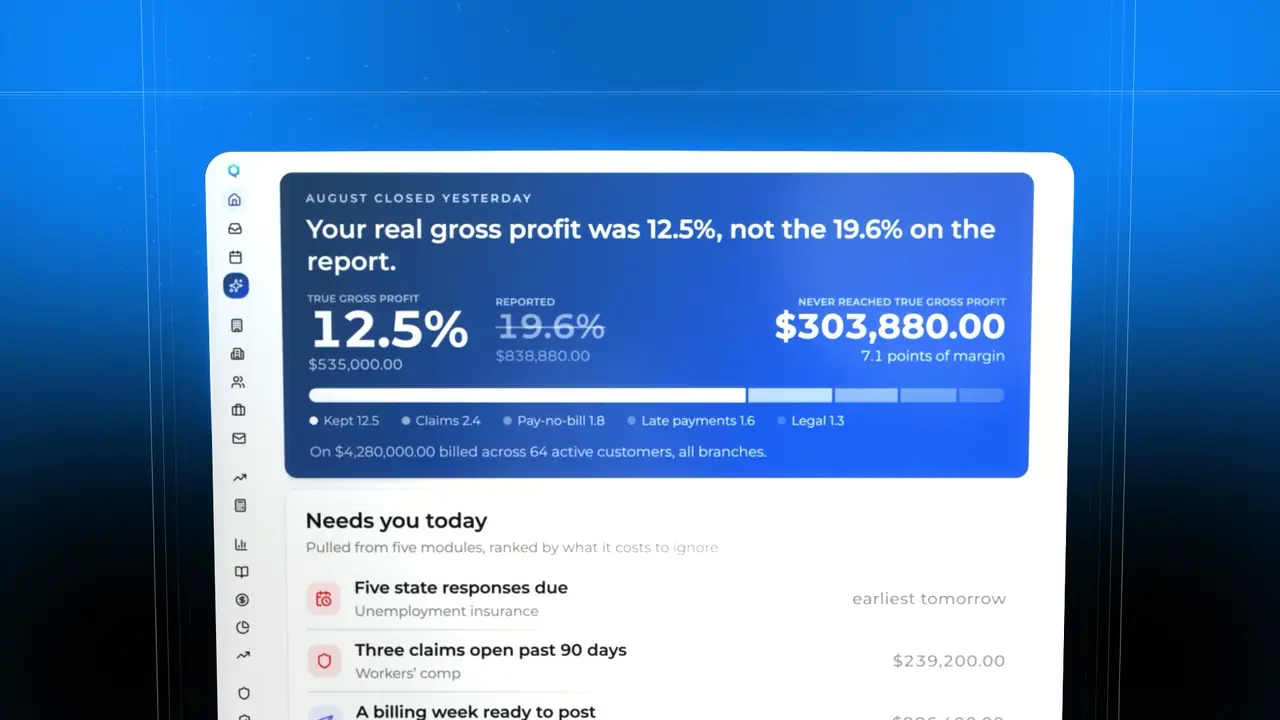
Unbilled pay and later adjustments can change client economics after the initial report. True gross profit needs those costs in the same context as the work.
Claims, contracts and legal need staffing linkage
The claim belongs to an associate, recruiter, end client and branch. Separate portals and matter files do not automatically carry that front-office context.
Multi-brand rollups need shared definitions
Acquired brands can keep distinct systems and names. An executive comparison needs consistent definitions across those sources rather than another manually consolidated report.
How HubIQ complements your ATS
HubIQ acts as the co-pilot for running your agency, connecting rather than replacing your existing systems. Avionté connects via Datalink and TempWorks via Report Writer today; Bullhorn is coming soon, not a live integration.
Weekly GL detail goes to Sage Intacct or QuickBooks: invoices and COGS, employee and employer taxes, and workers' comp premiums. True gross profit by client, branch and recruiter stays in HubIQ alongside claims and capital costs. HubAI answers from your agency's isolated data within the user's role.
Compare the operating approach
Category-level patterns, not an exhaustive feature audit. Capabilities depend on source data, configuration, licensing and refresh cycles.
| Consideration | ATS-native reports | HubIQ |
|---|---|---|
| Primary role | Recruiting and front-office operations | Connected intelligence across operations, risk and finance |
| Keeps your current ATS? | Yes | Yes |
| Recruiting pipeline & activity | Native front-office reports | Connects that context without replacing recruiting workflows |
| True gross profit after claims & capital | Depends on which external costs are available | Cross-system claims, unbilled pay and capital cost |
| Workers' comp & SIDES UI claims | Depends on the ATS and external services | Risk context alongside staffing records |
| General ledger & accounting connection | Depends on the ATS setup | Weekly GL detail to Sage Intacct or QuickBooks |
| Multi-brand & multi-ATS rollups | Requires consistent definitions across sources | Connected reporting while brands keep their existing systems |
Who should choose which
Use ATS reports on their own
When the decision stays inside recruiting activity and the native report already contains the necessary data.
Use your ATS plus HubIQ
When the question crosses accounting, claims, legal costs and brands, and leaders need a connected view of what the business actually earns.
Talk through your agency's stack
HubIQ, Inc. is headquartered in San Francisco. Bring the systems and reporting questions your team already works with.
Common questions
Curious whether HubIQ fits the ATS and branches you already run?
We’d be glad to talk.